

Everything stays on your phone
No account, no cloud, no upload. Your 20–60 GB match never leaves the device — the analysis runs entirely on Apple silicon. Privacy isn't a setting here, it's the architecture.
On-device highlight AI · iPhone
Drop in a full 2–3 hour match. MatchCut finds the goals, shots and big moments on your phone — then hands you a share-ready reel in minutes. Nothing is uploaded. Nothing leaves your iPhone.
Your action cam captures the whole match. The three goals worth posting are buried somewhere in it — and scrubbing for them is the reason the footage just sits there. MatchCut does the scrubbing for you, in one pass, on the device in your pocket.
*target on iPhone 13 and newer — all computed locally.
// THE MANUAL
Real screens from the app, in order. Every screenshot below is the actual thing you will tap.
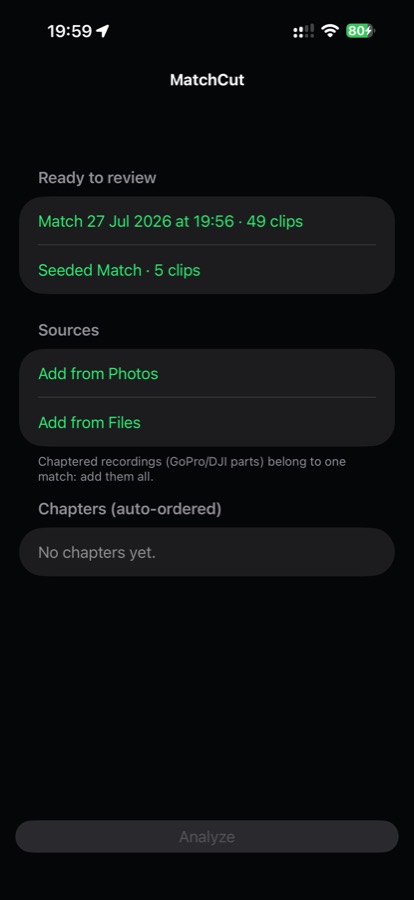
Record the match on anything you like — a GoPro, a DJI, a Veo, or just your phone propped on a tripod. Then open MatchCut, tap Add from Photos (or Add from Files) and pick the recording.
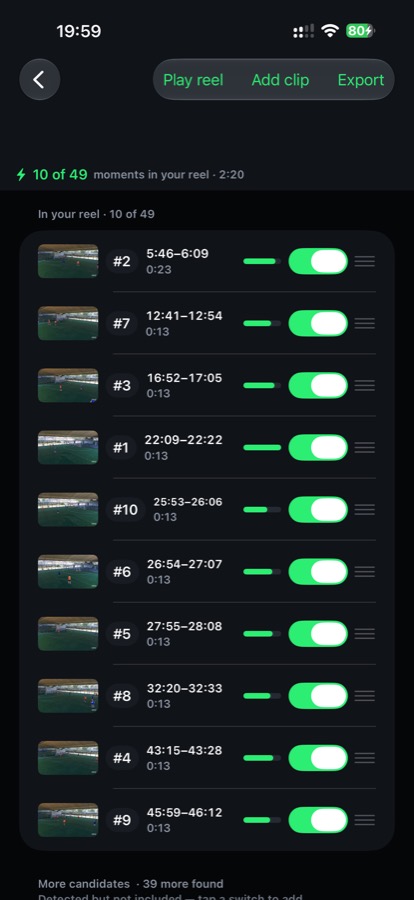
MatchCut listens for the roar and watches the movement, scores every second of the match, then ranks what it found.
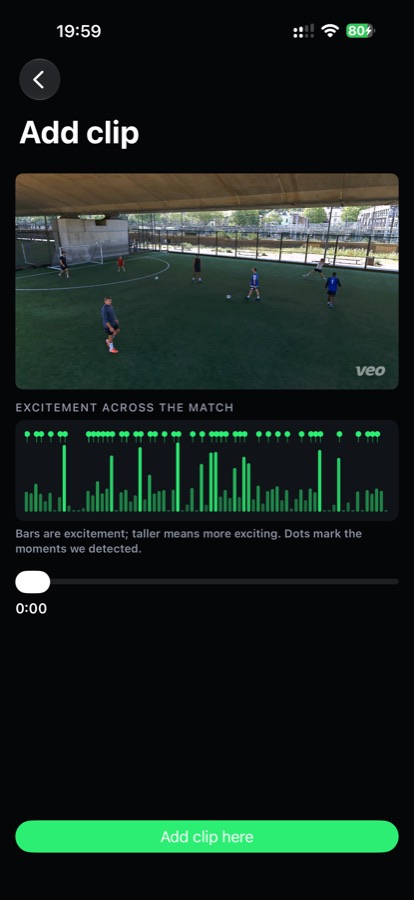
You have the final say. The green curve is the excitement across the whole match — the peaks are what it picked.
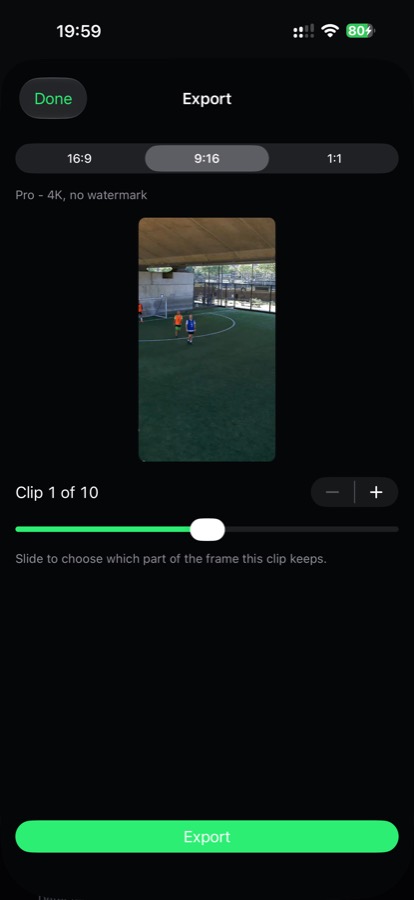
Pick a shape, tap Export. The reel lands in your photo library and the share sheet opens.
// THE ENGINE
A sound-recognition neural network listens for the roar, the shouts and the whistle, while motion intensity is measured frame by frame. Both are fused into one excitement curve across the whole timeline — the peaks become your highlights. All of it runs on the Neural Engine in your iPhone, offline, on the footage in your hand.
// AI ON THE BALL
A neural network finds the ball in every frame. Keep the whole pitch, or crop in and let the frame follow the play. Real footage from a real Sunday match, not a mock-up.
Pink is the ball. Green dots are where it has just been. The green frame is the slice a cropped-in reel keeps. Found on 166 of 180 frames.
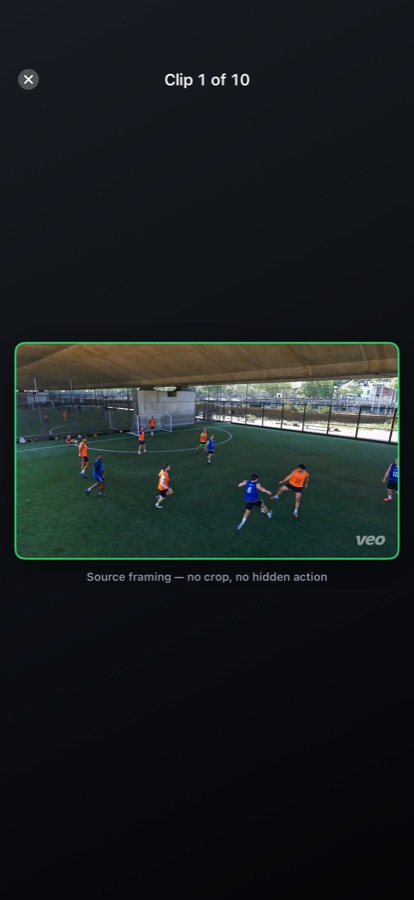
Straight out of the app. The whole pitch stays in frame — the bars are a blurred copy of the picture, not black — so the goal is never the thing that got cropped off the edge.
★ Ball tracking is built and tested, and arrives in the next update. Everything else on this page ships today.
// WHY MATCHCUT
No account, no cloud, no upload. Your 20–60 GB match never leaves the device — the analysis runs entirely on Apple silicon. Privacy isn't a setting here, it's the architecture.
Goals, shots, saves and roars — detected and ranked automatically.
16:9 for YouTube, 9:16 for TikTok & Reels, 1:1 for the feed.
Toggle, trim to the half-second, reorder, or add a moment it missed.
A full match analyzed in the time it takes to make a coffee — then a finished reel, ready to post before the players have left the pitch.
// THE RESULT
iPhone · iOS 17+ · Free, everything unlocked
Submitted to Apple and in review. Share the page and you will not miss it.